
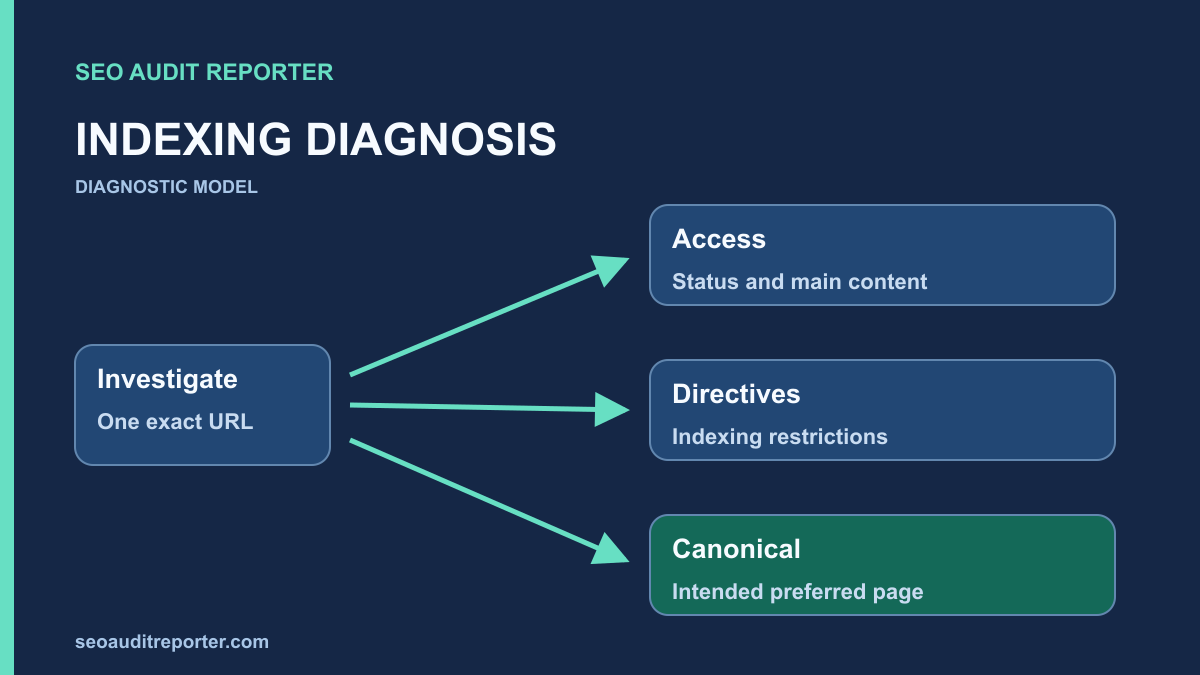
A missing search result is a symptom. Begin with the exact URL and trace what a crawler can request, what the page declares, and how the reporting evidence differs.
Start with the exact URL
Record the protocol, hostname, path, query string, and any redirect destination. Similar-looking URLs can represent different requests. With authorized access, inspect the URL in Search Console and record the reported status and observation date.
Compare the indexed information with a live check. They answer different questions: one describes Google’s stored view, while the other tests current access. A successful live test does not itself guarantee indexing.
Use a diagnostic sequence rather than a canonical shortcut
- Discovery: establish how the exact URL becomes known.
- Crawl: check whether the request can obtain the intended response.
- Rendering: inspect the main content and links after dependencies run.
- Canonicalization: compare the page with its intended representative and other signals.
- Index eligibility: inspect restrictions, status, and publication intent.
- Quality and duplication: assess whether the document provides distinct useful information.
- Final indexing decision: compare Google’s recorded selection with the current evidence.
This is a practical investigation order, not a claim that Google’s systems execute a rigid seven-step pipeline. Checks overlap. A sitemap can help discovery while also signaling a preferred URL, and a blocked request can prevent later directives from being observed. Keep each piece of evidence attached to the stage it actually describes.
Keep live and historical observations separate
Record the last crawl information, inspection result, deployment time, and live response separately. Google’s URL Inspection documentation distinguishes its indexed information from the live test. A repair made after the recorded crawl can be technically correct while the report still describes the earlier page.
Check access before signals
Request the URL and inspect the response status and redirect chain. Open the final destination in a browser. A page that looks like normal content can still return an error status, and a 200 response can still contain an error message.
Review the relevant robots.txt rules. Robots.txt controls crawler access; it is not a dependable way to remove an already known URL from search. A blocked crawler may be unable to read an indexing directive on the page. See Google’s robots.txt introduction.
Check the complete request and rendered content
Use GET to capture the initial status, Location headers, final address, content type, and HTML. Inspect redirects for wrong destinations or loops. A working browser session with account cookies is not equivalent to a public crawl. When behavior varies, document the request conditions before removing any access or security controls.
Compare the initial HTML with the rendered main content and navigation. A public page can return an empty shell when a script or data dependency fails. Google’s JavaScript SEO guidance provides the relevant rendering context. Identify the missing dependency before proposing a canonical change that cannot repair missing content.
Check indexing directives
Inspect both the HTML robots meta tag and the HTTP X-Robots-Tag header. If an important public page carries noindex unexpectedly, trace which template, plugin, or response rule adds it. Do not remove intentional exclusions from private, duplicate, or utility pages without understanding their purpose.
Inspect the scope of every restriction
A robots.txt restriction controls crawl access, while meta robots and X-Robots-Tag can communicate indexing instructions on responses a crawler can read. Check HTML and headers together, including directives added by a proxy or plugin. Do not assume that a clean editor setting proves the final response is unrestricted.
Record whether an exclusion is deliberate. Removing noindex from account, preview, or utility pages can contradict the site’s publishing policy. If a crawler is blocked, it may not observe a newly changed page-level directive. The robots audit helps test the actual origin and path rules without confusing crawl access with removal from search.
Compare canonical signals
Read the canonical annotation in the returned HTML and check its destination. For a genuine duplicate, ask whether that destination is the intended preferred version, is accessible, and contains equivalent content. A canonical is a signal; it does not force a search engine to choose that URL.
Check whether internal links and the sitemap support the same preferred version. Google describes redirects and canonical annotations as stronger signals than sitemap inclusion. Avoid conflicting targets across these mechanisms. See its canonicalization guidance.
User-declared and Google-selected canonicals answer different questions
The user-declared canonical describes the preference supplied by the page or related configuration. It can point to the page itself or another representative. Google’s selected canonical describes the representative Google chose from its observed signals and content relationship. These values can disagree without the disagreement identifying one universal cause.
Inspect the declared target directly. Confirm its response, indexing directives, own canonical, and equivalent content. A self-referencing annotation on a distinct guide can be appropriate, while an alternate tracking URL may legitimately point elsewhere. Use the canonical tag audit to compare templates, parameters, redirects, links, and sitemap evidence.
The live inspection test does not predict Google’s selected canonical. Record a selected target only when indexed information provides it, and note the observation date. Do not replace the declaration with a reported target blindly: the reported choice may reflect an old response, an unintended duplicate, or a target that no longer serves the right document.
Investigate duplication and faceted URL intent
Compare parameter and filter variants with their base pages. Some change only tracking or sort order; others represent a meaningful distinct resource. Record which versions deserve independent public destinations before choosing consolidation or an indexing policy. A large filter space may also complicate discovery, but its size alone cannot prove the cause of an individual exclusion.
Read the main content rather than relying on title similarity or a fixed word threshold. A concise reference can be useful; a longer page can still repeat another document without adding a distinct answer. Document the missing task, redundant material, or rendering defect you actually observed. Canonical edits do not create independent value.
Fix the cause, then test a sample
If a template mistakenly points every article to the homepage, correct the template logic and test several affected articles. If an old URL has intentionally moved, review the redirect target and the links still pointing at the old address. Keep a record of the previous behavior so the change can be reversed if needed.
Do not bulk-rewrite canonical tags merely because two tools report different URL totals. Tools may use different inventories, observation times, or definitions of indexability.
Choose the smallest repair supported by evidence
Restore missing content or routing when those are the demonstrated failures. Correct an accidental indexing restriction at its generating layer. Repair a wrong canonical when the content relationship establishes the correct target. Test unaffected siblings and preserve intended alternate versions before expanding a shared-template change.
If Search Console reports Crawled – currently not indexed, treat the label as a starting observation. It does not by itself prove a penalty, a crawl-budget problem, or a broken canonical. When no reproducible technical defect is found, record that result and continue a focused usefulness and duplication review.
Verify discovery and reporting
After the fix, request the page again and confirm the intended response, directive, and canonical destination. Check that the sitemap and important internal links use the preferred URL. Reinspect a representative sample in Search Console after Google has had an opportunity to revisit it.
Document the live repair separately from the eventual indexing outcome. If access and signals are correct but the page remains unindexed, continue investigating content usefulness, duplication, and site context. Repeatedly changing technical signals without new evidence can make the diagnosis harder.
Check the routes by which the page is discovered
Use the sitemap audit to confirm that an intended canonical public URL appears consistently and that stale variants are not being promoted. Then inspect relevant incoming internal links. Sitemap membership is not a substitute for a sensible route from a parent page or related guide.
The orphan-page workflow compares link-based discovery with other inventories. Rule out crawl exclusions and incomplete runs before calling a page disconnected. A newly added useful link can improve discovery and navigation, but it does not guarantee indexing or explain every earlier exclusion.
Close the technical finding without overstating the outcome
Save public response evidence after deployment and compare affected and control URLs. Confirm the intended content, status, directives, canonical, and discovery references. Monitor later indexed observations with their crawl dates. Report a verified repair and a still-unresolved indexing decision separately instead of repeatedly changing correct signals.
Related diagnostic guides
Crawled – Currently Not Indexed: How to Diagnose the Real Cause · How to Audit Robots.txt Without Blocking Important Pages · How to Audit Canonical Tags Across a Website · How to Audit XML Sitemaps for Indexing Problems