
A crawler says several pages have canonicals pointing elsewhere. Some are legitimate duplicates; others are useful pages accidentally inheriting a template’s preferred URL. A canonical audit tests the relationship between source and target, not just the presence of a tag. The goal is to find conflicting or inappropriate signals without erasing intentional consolidation.
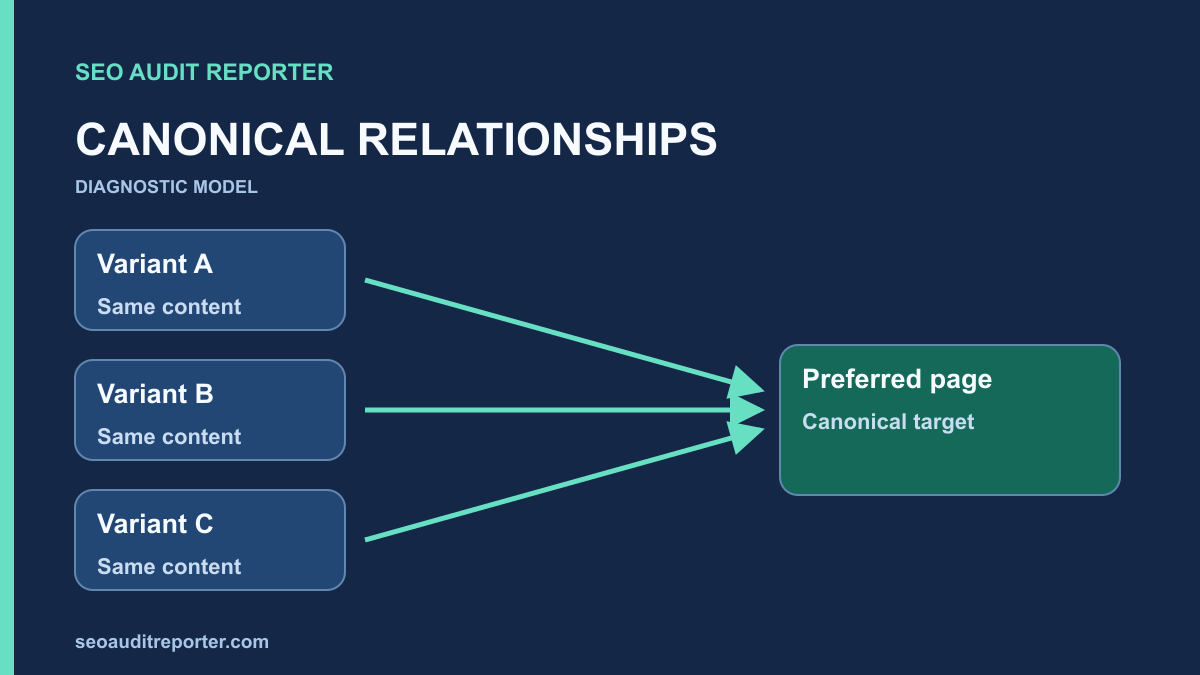
Write down the expected URL relationships
For each page type, identify whether the page should be independently indexable, an alternate of another page, or a URL that should no longer be served. Include parameter variants, print views, syndicated material, pagination, and language versions where they exist. Ask the content or platform owner about the intended relationship. Similar titles alone do not establish that two pages are duplicates.
Record an example source URL, its declared target, the intended target, and the reason for that preference. Treat missing knowledge as a question rather than assigning the homepage as a convenient default. A preferred address must represent the content relationship you actually intend. It cannot solve every thin-content, availability, or architecture issue simply by existing in the head.
Understand the signal you are auditing
Google’s canonicalization guidance describes canonical annotations and redirects as signals rather than guarantees, with sitemap inclusion contributing a weaker signal. A self-referencing canonical identifies a page’s own preferred address; a cross-page annotation identifies another representative. The audit should look for agreement across these signals, not assume that a declared target is necessarily the one Google will select.
If one URL appears absent from search, start with the broader indexing diagnosis before narrowing the investigation to its canonical. A blocked request, noindex directive, stale report, or missing content can explain the symptom independently. Changing a canonical because a page is unindexed can hide the real issue and create an additional inconsistency.
Extract annotations from the response and rendered page
Capture the canonical link in the returned HTML head. Count annotations, preserve the exact target, and resolve it against the source URL if it is relative. Also inspect the HTTP Link header where relevant, particularly for non-HTML documents. Two apparent declarations might agree or conflict; count and destination both matter. Do not silently discard the second value in your audit export.
<link rel="canonical" href="https://example.com/guides/widget-care/">This is an illustrative self-canonical for the page at that exact address. Compare source HTML with the browser’s rendered head if JavaScript is involved. If a script changes the target after load, document both values and the component responsible. A crawler operating without rendering may observe something different from your browser. Keep the rendering configuration with the evidence.
Check more than one URL per template. A canonical may work for the first article yet fail for articles with missing custom fields, alternate locales, or pagination. Include edge cases such as an empty result page and a path with parameters. The point of the sample is to find the rule that generates the annotation, not merely collect a few reassuring screenshots.
Test the declared target itself
Request each distinct target and record status, final destination, indexing directives, and its own canonical. An annotation that points to a 404, an unexpected redirect, or an excluded page deserves investigation. Trace the intended content relationship before prescribing the repair. A temporary response failure should not lead you to permanently rewrite canonical targets without understanding the outage.
Read both pages. Ask whether the source and target genuinely represent the same content or a closely equivalent version. A category listing and an individual guide are not interchangeable just because they share keywords. If the source has a distinct purpose, a cross-page canonical may be a template error. If it is a legitimate duplicate, a consistent preferred address may be correct.
Group findings by pattern, not just by count
Self-canonicals with inconsistent formatting
Compare protocol, hostname, path, slash conventions, and meaningful query parameters. A self-canonical that uses an old hostname can conflict with normalization redirects. Decide the intended address first, then update the source of the annotation. Do not normalize away parameters unless the resulting page actually represents the same content. Some parameters select a distinct resource rather than a tracking variation.
Many pages pointing to one unexpected target
Look for a hardcoded URL, a global SEO field, a fallback to the front page, or an incorrectly reused content object. Test pages with and without the relevant data. A widespread pattern often belongs to a shared template, but that remains a hypothesis until you identify the generating rule. Record a representative example and the full affected list for the owner.
Cross-domain annotations
Confirm the publishing agreement, ownership, and equivalence of the target content before changing a cross-domain preference. It may be deliberate, or it may be leftover migration or syndication configuration. Check that the target still exists and that the arrangement matches the site’s present purpose. Do not invent a cross-domain canonical as a substitute for removing unauthorized copies or resolving editorial ownership questions.
Compare redirects, links, and sitemaps
Run a redirect audit when the declared target is itself an old route or points back through a chain. A source that redirects to one address while the destination declares a different preferred page needs a clear explanation. Treat that relationship as one finding rather than several isolated warnings, because a single routing or template rule may create them all.
Inspect important internal links and run the sitemap checks against the same preferred URL inventory. If internal navigation consistently uses a variant while the sitemap lists another, find the owner of each source. Repair the generating rule where possible. Changing one exported file without correcting the generator will often allow the inconsistency to return at the next update.
For pagination, review the content on each page of the series. Do not point every page to the first page solely because the series shares a title. Distinct sets of listed items may need distinct URLs and coherent discovery. Similarly, translating a page does not make it a duplicate to be consolidated into a different-language target. Review the site’s language and pagination requirements before applying broad rules.
Use Search Console as corroborating evidence
With authorized access, inspect representative URLs and record the user-declared and Google-selected canonicals where the tool provides them. Note the observation date and any difference between indexed data and the live page. The URL Inspection documentation explains what each view can establish. The live test does not predict which canonical Google will ultimately select.
Compare mismatches with the source-target evidence rather than automatically assuming the engine made an error. The intended preferred page may be unavailable, insufficiently equivalent, or inconsistent with other signals. If the current relationship is correct and the reported data predates the repair, allow the reporting evidence to catch up while monitoring a stable sample. Repeated speculative changes make the result harder to interpret.
Make the repair at the correct layer
Correct the template or SEO field that emits the wrong target. Preserve deliberate exceptions, and test neighboring templates before rollout. When duplicate metadata is part of the same symptom, use the title and description investigation to determine whether the source URLs are meaningful independent pages or redundant variants. Do not manufacture unique wording just to conceal an incorrect URL relationship.
After deployment, request the public pages again. Confirm one intended annotation, an appropriate target response, coherent redirects, and aligned sitemap and internal link references. Keep a list of explicit exceptions such as non-HTML resources or intentional alternate versions. Then monitor the sample in search reporting without promising a recrawl deadline or a particular ranking outcome.
Canonical audit acceptance checklist
- The intended source-target relationship is recorded for each affected pattern.
- Response HTML, rendered HTML, and relevant headers have been compared.
- Targets are accessible and appropriate representatives of the source content.
- Redirects, internal links, and sitemap entries support a coherent preferred address.
- Pagination, parameters, languages, and cross-domain exceptions are reviewed separately.
- The repair addresses the generating field or template, with public verification afterward.
- Indexed observations and live observations remain clearly distinguished.