
A production site can serve useful pages while its robots.txt still contains a staging rule that blocks crawling. The opposite failure is also possible: an edit removes a deliberate restriction and exposes an expensive crawl space. Audit the response and the rules against an approved URL policy before changing either.
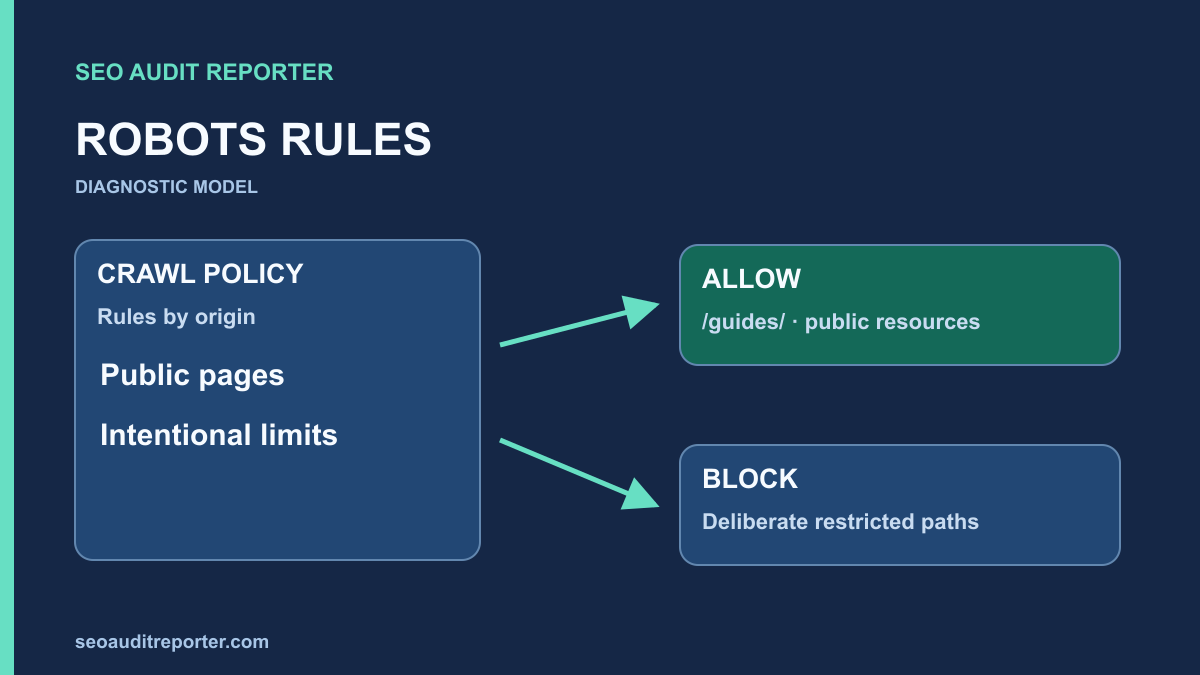
Define what robots.txt is supposed to control
Robots.txt supplies crawl rules to cooperating crawlers. It is not access control, and a disallowed URL is not automatically removed from search. Google’s introduction to robots.txt explains these limits. Protect private information with actual authentication and appropriate server controls rather than treating a public text file as a security boundary.
Write down the intended policy for public documents, search results, filter combinations, account areas, and static resources. Separate a deliberate restriction from a rule nobody remembers creating. An SEO auditor should not remove every Disallow line to obtain a greener crawl report.
The initial technical audit should identify which hostname and protocol are preferred. Robots rules apply within their relevant host, protocol, and port scope, as described in Google’s current robots.txt specification. Check variants that can serve real content rather than assuming one file governs every installation.
Fetch the real file from each relevant origin
Request the root-level robots.txt with GET. Record status, redirects, final URL, content type, response headers, and body. The visible response should be the intended rules, not a homepage, login form, security challenge, or server error. Keep a dated copy before making changes.
Test the canonical HTTPS origin and any HTTP or www variant that remains reachable. Include subdomains that host content or resources needed for rendering. Do not create new variants during an audit; simply identify the ones the site actually uses and how requests are handled.
Use a cache-bypass request as a comparison when the file appears stale, but also check the ordinary request visitors and crawlers would make. If those responses differ, investigate the relevant cache layer. A unique query parameter may bypass one cache without proving that the normal path has refreshed.
Identify where the file comes from
The file may be a physical document, an application-generated response, a plugin output, or a proxy rule. Trace the producing system before editing. Updating an application setting will not affect a physical file that the web server serves first. A deployment may also overwrite a manual server edit later.
Record who owns the policy and how it is deployed. Preserve existing intentional rules while preparing a narrowly scoped correction. If a staging environment shares deployment code with production, inspect the environment condition that chooses the rules instead of only repairing the current output.
Keep the production and staging policies in separate named records. Compare their generated responses during release review, especially when a staging-wide block is intentional. A deployment check should confirm both environments behave as intended without requiring anyone to remember to remove a temporary production rule manually.
Build a representative URL test set
Choose important public URLs from each major template and include edge cases. Test a category root, a detail page, pagination, a URL containing a query string, and the resources needed to render the page. Add known private or intentionally restricted paths so a proposed fix cannot accidentally allow everything.
Store full URLs and expected outcomes beside the reason for each expectation. An expected allow should come from a publishing decision, not from the fact that the URL exists. A test set makes the policy review concrete and repeatable after deployment.
For example, a hypothetical public guide under /guides/ should remain crawlable while an internal account endpoint is intentionally restricted to compliant crawlers. The audit should test both. This example is a policy model, not a recommendation to copy those paths into every site’s file.
Evaluate groups and matching rules carefully
Check which group applies
Read the User-agent groups and determine which group applies to the crawler you are evaluating. A general wildcard group is not always the applicable group when a more specific group exists. Follow the parser behavior described for that crawler rather than merging rules by intuition.
Review repeated groups, misspelled crawler names, and comments that no longer match the actual rules. Keep the original file with line numbers in your audit record. A comment such as “staging only” is useful context, but the live directive still applies if deployment included it.
Check the matched path, not its appearance
Path matching is sensitive to details such as case, prefixes, wildcards, and end-of-path markers. A rule meant for one directory may match more URLs than expected. Use the actual resolved path and query component in a parser that follows the relevant specification, then verify important examples manually.
Do not assume that every crawler interprets every extension identically. A directive recognized by one tool may be ignored by another. Keep claims about Google limited to its published behavior, and record the crawler and parser used for your own test output.
Inspect resource blocks and rendering dependencies
A page’s HTML can be allowed while its stylesheet, script, or API dependency is blocked. Check the resources used to display its main content and navigation. Compare the initial HTML with the rendered page when important content depends on script execution.
Allowing every resource is not automatically appropriate. Some endpoints contain private data, require authentication, or are not designed for public fetching. Coordinate with the application owner to expose the intended public experience through safe resources. Document the specific blocked dependency and its visible effect.
If the symptom is a missing search result, continue with the indexing diagnosis. A robots repair establishes crawl access; it does not remove a separate noindex directive, fix a broken canonical target, or guarantee that a page will be selected for indexing.
Distinguish crawl restrictions from indexing decisions
A crawler needs access to a page to read many page-level directives. Blocking a URL while expecting its HTML noindex to be processed can produce a contradictory strategy. Decide whether your goal is crawl management, exclusion from indexing, or protection of private information before choosing the mechanism.
Review sitemap membership alongside the rule policy. The sitemap audit identifies public URLs you are actively presenting for discovery. If those same URLs are unintentionally blocked, fix the policy conflict at its source. Do not assume that a sitemap overrides robots rules.
Deploy a minimal, testable correction
Change the narrowest rule or environment condition that explains the demonstrated failure. Keep a rollback copy and obtain the appropriate operational review for the site’s deployment process. Test the public and deliberately restricted examples before replacing the production output.
When the issue is a stale response, purge only the relevant cache using the approved site controls. Do not change DNS or broad CDN behavior merely because a text file appears old. Verify the ordinary root request afterward and check that the intended version is served consistently.
Verify policy and behavior after deployment
Fetch the live file again, compare it with the approved version, and rerun the full URL test set. Then crawl a small authorized sample with robots enforcement enabled. A crawl configured to ignore robots cannot demonstrate that the new rules allow the intended pages.
Use the crawl comparison workflow to separate newly reachable URLs from unrelated crawl variation. Confirm that intentionally restricted paths remain restricted in your parser tests. Record response changes and actual page access independently of later search-report updates.
Robots audit acceptance checks
- The correct origin serves the intended root-level text response.
- The producing file or application rule is identified.
- Applicable crawler groups are evaluated against actual URLs.
- Important pages and necessary public resources are crawlable.
- Intentional restrictions remain intact.
- Sitemap and indexing policies do not contradict the crawl policy.
- The deployed output and test results are saved with dates.
Leave a documented intentional block alone when it serves the approved policy. The aim is predictable crawl access, not an empty robots.txt file.