
Search Console says a URL was crawled but is not indexed. The page opens normally, has a canonical tag, and appears in a sitemap. None of those observations alone explains the exclusion. The useful next step is to establish what Google last observed, what the page returns now, and whether this URL deserves its own search result.
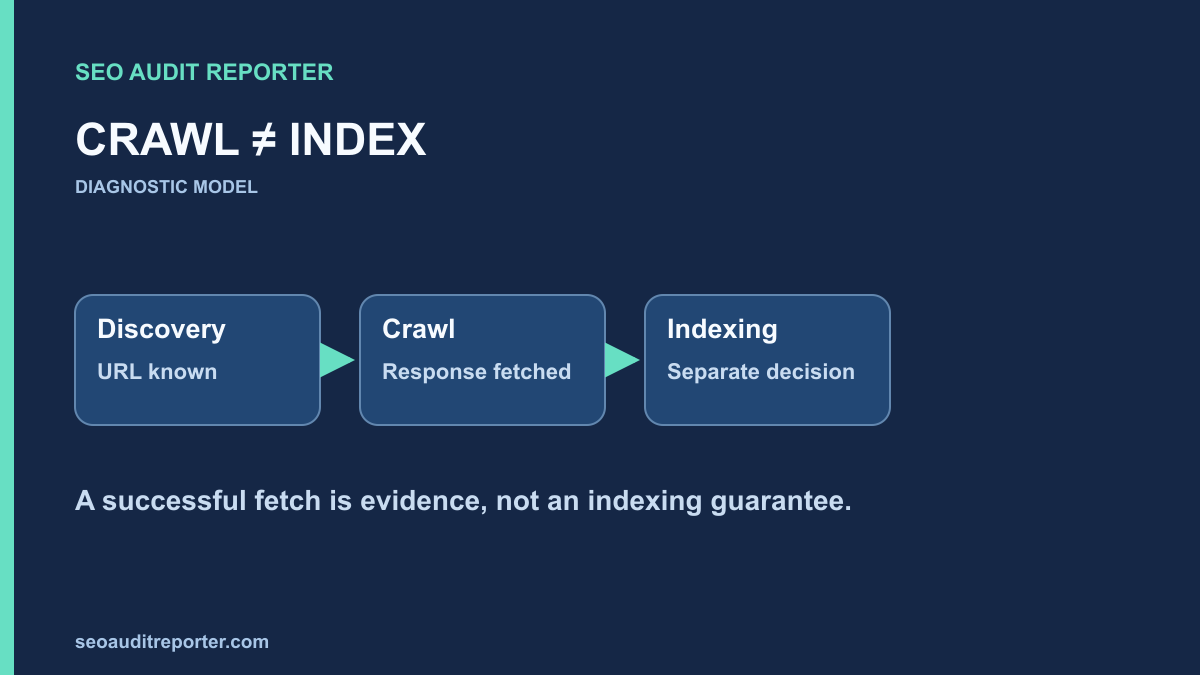
Read the status without inventing a cause
In Google’s Page indexing report documentation, Crawled – currently not indexed means the page was crawled but is not indexed. Google says it may or may not be indexed later and that resubmitting it for crawling is unnecessary solely because of this status. The label does not identify a single technical defect or prove a penalty.
Keep it separate from Discovered – currently not indexed. Discovery without a recorded crawl points to a different stage of the process. Also distinguish intentional exclusions: an alternate duplicate, a private page, or a page deliberately excluded from search may be working as intended. Your target is useful public URLs that you actually want indexed.
Start an investigation record with the exact URL, property, report category, inspection time, and last crawl information. Avoid screenshots that omit the URL or capture time. A report view describes Google’s recorded state; it is not a live request to your server.
Compare the indexed observation with the live page
Inspect one representative URL rather than making a sitewide change immediately. Read the available crawl, indexing, and canonical information. Then run a live inspection and make your own fresh GET request. Google’s URL Inspection documentation describes the difference between the indexed information and the live test; the live test does not predict Google’s selected canonical.
If a repair happened after the recorded crawl, old information may not describe the current page. Keep both observations. For example, an old fetch could have encountered incomplete content while today’s request returns the full document. That difference is evidence of a changed response, not proof that the page will enter the index on a particular date.
The existing indexing diagnosis guide provides the initial access and directive checks. Use it to rule out an obvious request failure before deciding that the remaining problem must be content quality.
Record the actual response
Check the redirect chain, final address, response status, content type, HTML, and relevant headers. Confirm that a public visitor receives the intended document without an account or consent state masking the main content. Compare more than one request when behavior depends on cache, geography, cookies, or security filtering.
A 200 response can still contain an error message, a nearly empty shell, or a page that requires an unavailable API response. Inspect the main content and rendered result. If a crawler-specific request receives a different result, investigate the condition carefully rather than assuming a user-agent string reproduces every aspect of Google’s fetch.
Audit eligibility before evaluating usefulness
Check applicable robots rules, meta robots, and X-Robots-Tag headers. Record whether the page can be crawled and whether the response contains an indexing restriction. A crawl block and a noindex directive serve different purposes. Removing one without understanding the other can create new access or privacy problems.
Inspect the canonical target in both the initial response and rendered document where relevant. Request that target and compare the actual content. If the page intentionally duplicates another URL, consolidation may be the correct outcome. A canonical audit helps separate a valid duplicate relationship from a template that sends unrelated pages to one destination.
Review redirects, internal links, and sitemap entries for the same preferred URL. Contradictory signals make diagnosis harder. Correct a demonstrated conflict, but do not repeatedly switch canonical targets just because the report has not changed. A declaration is a signal, not a command that forces an indexing outcome.
Look for a pattern across affected pages
Group candidate URLs by template, section, language, publication workflow, and parameter pattern. Choose examples from each important group, including URLs that are indexed successfully. Comparing an affected page with a working sibling can expose a missing content field or a different rendering path that a general checklist misses.
Track counts against your own eligible URL inventory. Search Console examples are not a complete database of every page on your site. Do not describe the entire site as broken based on a handful of examples without checking the relevant denominator and the purpose of those pages.
Suppose a hypothetical directory has many location pages generated from one template. Some contain distinct local information; others contain only a changed place name. The right investigation asks whether the latter pages deliver a separate useful answer. It does not assume that adding an arbitrary number of words will resolve indexing.
Assess the page’s independent value
Compare the main content with other pages answering the same question. Identify what this URL adds: a distinct product, procedure, reference, location, or analysis. Check whether the differences are visible and useful, rather than only hidden in metadata or generated by a filter parameter.
Verify that the title, heading, and main content agree. A page introduced as a troubleshooting guide should contain steps a reader can actually use. A thin generated summary pointing elsewhere may not justify a separate result. Improve a genuine missing answer where your evidence supports that decision; do not rewrite unrelated pages merely to satisfy a status label.
If multiple pages serve the same purpose, discuss consolidation with the content owner. Preserve valuable information and plan appropriate URL handling. Do not delete pages in bulk from a Search Console export, and do not treat consolidation as mandatory when the pages have distinct audiences or tasks.
Check discovery without confusing it with selection
A URL can be crawled once yet remain poorly connected to relevant parts of the site. Inspect links from useful parent pages and related guides. Check whether a normal link-following crawl discovers it. The orphan-page workflow helps identify pages found in other inventories but absent from that crawl.
Review the page in your XML sitemap audit. Include intended canonical, eligible URLs and remove stale entries through the generating system. A sitemap can communicate your inventory, but including a page does not guarantee indexing. Avoid generating extra sitemaps for the same URL as a substitute for resolving a demonstrated page defect.
Prioritize repairs that have observable evidence
Give higher priority to widespread response failures, missing main content, accidental restrictions, or incorrect canonical targets affecting important public pages. A suspected usefulness problem deserves a documented content review. Record confidence separately from impact so the team can distinguish a reproduced defect from an unresolved hypothesis.
Assign a narrow acceptance check to each change. For a rendering failure, it might be complete content in the live response and rendered test. For an internal-link gap, it might be discovery through a relevant parent. These checks can be completed before search systems have refreshed their recorded observations.
Verify the repair, then monitor the search outcome
Request the changed URL and related variants after deployment. Confirm status, content, directives, canonical, links, and sitemap agreement. Record the deployment time and retain the earlier evidence. Use an appropriate inspection request when you have made a meaningful repair, rather than repeatedly submitting unchanged pages to chase the same label.
Return to Search Console and compare later observations with the original crawl date. The live technical acceptance test and Google’s eventual indexing decision are separate results. Report both honestly: a defect may be fixed while indexing remains unresolved. There is no defensible universal waiting period after which every eligible page must be indexed.
Evidence to keep with the finding
- The exact URL and intended search role.
- The recorded inspection state and a dated live response.
- Directive, canonical, rendering, and duplicate comparisons.
- Relevant incoming links and sitemap membership.
- The demonstrated defect or explicitly labeled hypothesis.
- The deployed repair and its independent acceptance test.
This evidence turns an ambiguous status into a controlled investigation. If no reproducible defect is found, preserve that conclusion rather than inventing a canonical or crawl-budget explanation.