
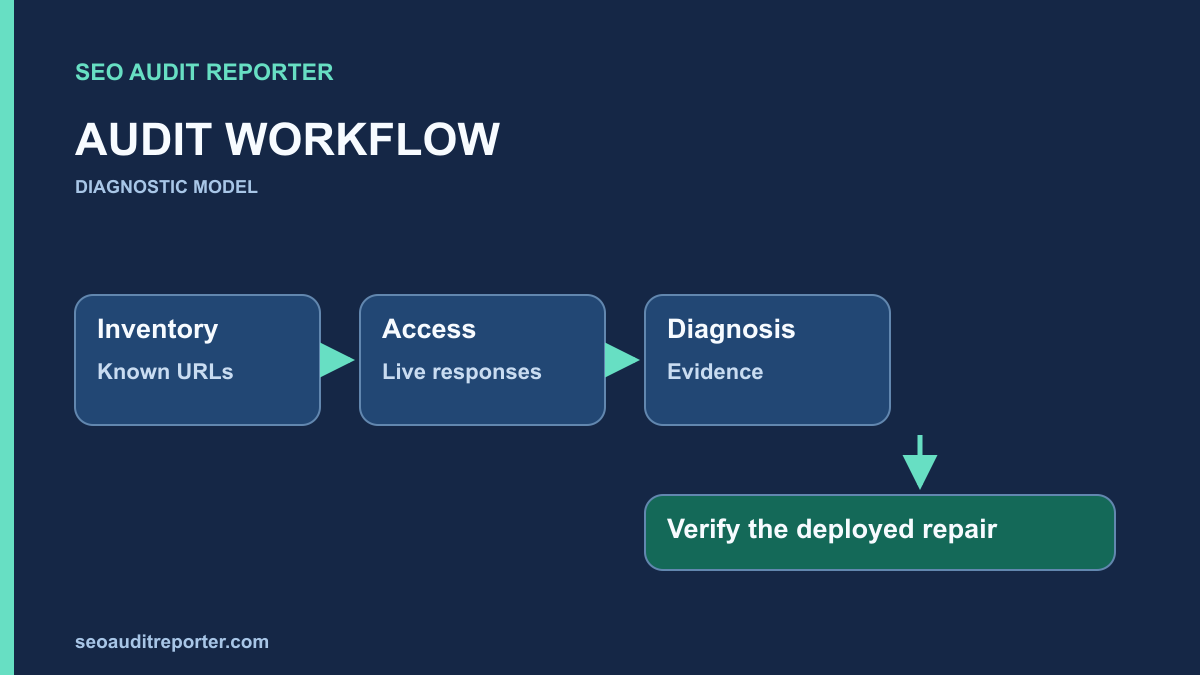
A crawler can return thousands of warnings while missing the issue that stops an important page from working. A technical SEO audit needs a defined URL inventory, a sequence of checks, and evidence that connects each finding to a repair. Start with the pages the site is meant to publish, then test how those pages are discovered, delivered, interpreted, and verified.
Define what this audit must establish
Write down the decisions the audit should support. A pre-launch audit asks whether the release is safe to expose. A migration audit asks whether old URLs reach their intended replacements. An investigation into disappearing pages asks what changed and which pages are affected. These projects share checks, but they do not have the same scope or acceptance criteria. Avoid treating a default crawler export as the audit brief.
Define the production hostname, any international or subdomain sections, the publishing platform, and important page types. Record which sections require authentication and whether you are authorized to test them. Make a list of representative URLs for the homepage, categories, articles, products, pagination, and any JavaScript-heavy journeys. Include an intentional redirect and a genuinely missing URL so you can recognize the site’s expected behavior.
Distinguish a crawl inventory from a publishing inventory. A crawler sees what it can discover under its configuration; the CMS may contain additional published pages. A sitemap provides another list, and analytics or authorized server logs can reveal URLs outside either list. None of these sources is a complete substitute for the others. Reconcile their differences before assuming that an absent crawler row means an absent page.
Capture a baseline you can reproduce
Record the crawl start URL, timestamp, user agent, rendering mode, robots handling, exclusions, request rate, and any URL limit. Save the configuration with the export. Begin conservatively on a production site and watch for errors or capacity problems. An audit should not overload the service it is supposed to diagnose. If a section is excluded, make that limitation visible in the report rather than presenting the crawl as sitewide.
Save response codes, final URLs, redirect locations, indexing directives, canonicals, titles, and internal link relationships. Keep screenshots and response headers for representative findings. A count of “missing canonicals” is less useful than a reproducible request and an affected template. For the process of preserving comparable snapshots, use the before-and-after crawl comparison guide.
Check availability and URL normalization first
Request important URLs without being signed in. Test HTTP and HTTPS, the preferred hostname and its alternate, trailing-slash variants where relevant, and known old routes. Follow the redirect chain and record every hop. Confirm that the destination is the intended page, not merely a URL returning 200. The page content, HTTP status, and browser experience should tell a consistent story.
Check whether errors cluster by template, path, device, or request method. If a browser loads a page but a crawler receives 403, investigate the request conditions before changing the page’s SEO fields. If HEAD and GET differ, use GET to inspect the content and record the discrepancy. A proxy rule, application route, or access challenge may sit between the crawler and WordPress.
When old URLs travel through several normalization rules, use a focused redirect audit to inspect the mapping. Keep intentional temporary redirects separate from permanent moves. Do not remove access controls from private pages merely because a crawler cannot reach them. The audit must compare observed behavior with the intended audience for that page.
Separate crawl access from indexability
For each important public page, inspect robots.txt, the HTML robots directive, and the X-Robots-Tag header. A page can be accessible to a visitor but excluded from indexing, or known to a search engine while its content cannot be crawled. These are different conditions with different repairs. Check the scope of each directive before escalating a single-page symptom to a global change.
Read the returned HTML as well as the browser-rendered page. Important content or links might appear only after scripts run, or a page might present an empty shell when a dependency fails. Record which rendering mode produced your observation. Google’s JavaScript SEO documentation is the primary reference for questions about rendering and discovery.
Inspect the canonical destination and its response. An apparently indexable page may declare a different preferred URL. Before correcting that annotation, confirm whether the page is an intended duplicate. A canonical tag audit tests the relationship across templates and variants; a global search-and-replace cannot establish that relationship safely.
Test the routes into important content
Choose a few important destinations and trace how a visitor gets there from relevant pages. Check the actual anchor destination, not just the displayed label. Look for broken links, chains, links requiring a user interaction to exist, and utility navigation that overwhelms useful contextual routes. A page’s place in the site’s structure should be understandable to people as well as to a crawler.
Review XML sitemap entries alongside the publishing inventory. The sitemap should describe the URLs you intend to expose in search, and those entries should be consistent with the live responses and page signals. Investigate stale entries rather than repeatedly resubmitting the same file. The XML sitemap audit provides the checks for sitemap indexes, redirects, exclusions, and update dates.
Inspect templates, metadata, and actual page usefulness
Group observations by page type. Repeated titles may come from a fallback field, a filter parameter, or pagination. Empty headings might come from an editor error or a shared component. Read a sample of affected pages before deciding whether to repair the template, consolidate redundant URLs, or leave legitimate variants alone. A structural warning does not automatically describe a content defect.
Confirm that headings organize the page and that the visible title describes its purpose. Compare the title tag with the actual page rather than forcing every title into a fixed character count. Inspect a missing-content page in an ordinary browser: a technical response can be correct while the page still fails to answer the visitor’s question. Keep technical and editorial findings connected without treating them as interchangeable.
Use performance evidence without reducing the audit to a score
Look for page-type patterns in slow delivery or interaction. Separate server response time, resource loading, rendering, and responsiveness. Field reporting describes real visits; a lab trace describes a controlled session. Record the measurement conditions and any missing field data. A high score does not establish that every important journey works, and a low score does not identify the responsible component by itself.
Test representative mobile journeys and visual stability after a page loads. Check consent states and signed-out views where relevant. If a template has no usable field sample, label the performance investigation as lab evidence. Avoid promising a ranking change from a performance repair. The audit’s acceptance criterion should be an observed improvement or removed failure, with the conditions stated.
Convert confirmed findings into a repair plan
For each finding, record the affected URL pattern, evidence, expected behavior, likely cause, owner, and proposed verification. Mark uncertain causes as hypotheses. Separate confirmed availability failures from speculative improvements. The existing guide to prioritizing an audit fix list explains how to assign impact, confidence, and execution responsibility without inventing a numerical search-engine score.
Use the smallest change that addresses the verified cause. Test a shared template on a representative sample before expanding it. Keep a rollback route and avoid combining unrelated repairs into one release if that would make the outcome difficult to interpret. Closing a ticket because code was deployed is premature: the original request, response, and visitor journey still need to be checked.
Final technical audit acceptance checklist
- The scope, crawl configuration, access limits, and baseline date are recorded.
- Important published URLs have been reconciled with the crawl and sitemap inventories.
- Responses, redirect destinations, crawl rules, directives, and canonicals match their intended purpose.
- Important pages are reachable through working, useful links.
- Template and content findings have representative evidence rather than only warning totals.
- Performance findings identify the measurement type and affected journey.
- Each confirmed issue has an owner, a focused repair, and a repeatable acceptance check.
- Deployment evidence and later search-report outcomes are tracked separately.