
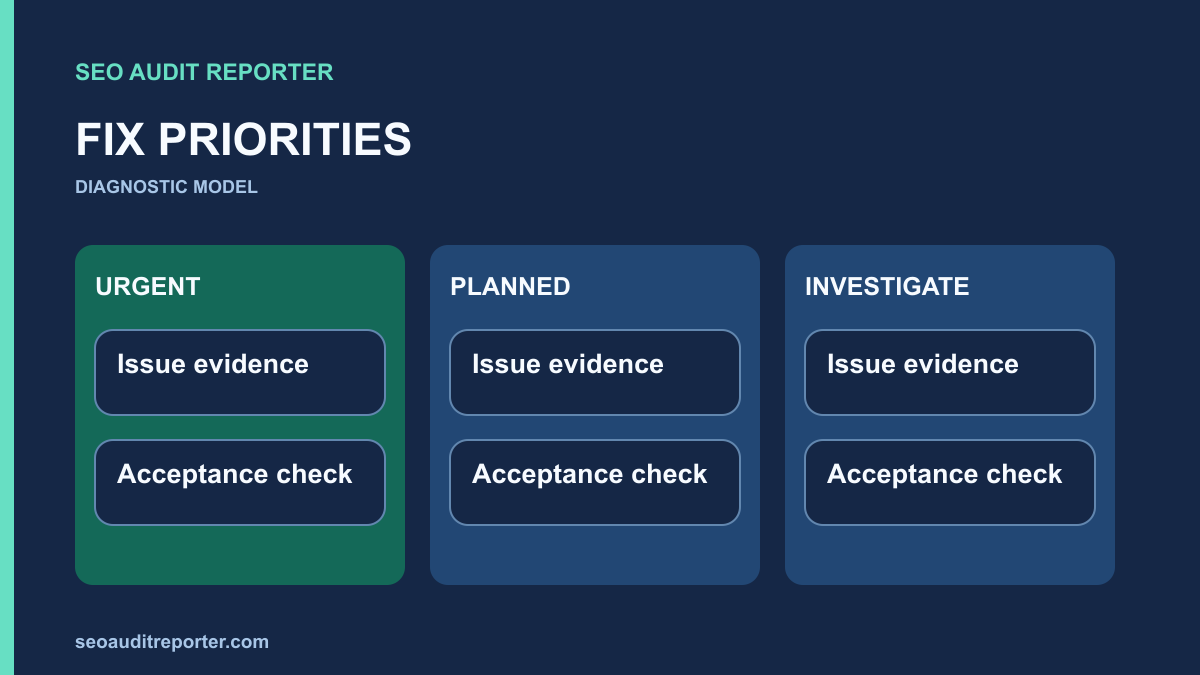
A useful audit ends with decisions. Record what is wrong, how you know, which pages it affects, and what a successful repair should look like.
1. Define the scope before collecting warnings
Choose the pages and templates that matter to the website: entry pages, products or services, important guides, and the paths between them. Record the date of the audit, the environment, the tools used, and any limits on access. An unauthenticated crawl cannot tell you everything about a logged-in application.
Keep a short baseline: a URL inventory, the current sitemap, a sample of page source, and relevant Search Console reports if you have authorized access. A screenshot without its URL, date, and context is difficult to verify later.
Choose the denominator and the important journeys
Define the eligible URL inventory before comparing warning counts. A hundred affected URLs out of a hundred public guides is different from a hundred alternate tracking URLs around ten guides. Record both requested addresses and distinct intended destinations. Mark important entry points and the routes readers need to complete their tasks.
Affected URL count measures scope, not importance on its own. A failure on one essential account or documentation route may matter more than repeated metadata on low-value variants. Describe the business impact in concrete terms: visitors cannot reach a product, read a required instruction, or finish a task. Use observed usage where available and label missing evidence.
2. Reproduce each issue
Open representative URLs yourself. If a crawler flags missing titles, inspect the returned HTML and the rendered page. If the problem affects a shared template, check more than one page before assigning a sitewide label.
Separate the symptom from the suspected cause. “The product page returns 404” is an observation. “The migration removed the product route” is a hypothesis until you compare the route configuration or deployment history.
Eliminate false positives and group shared causes
A crawler may include redirected, intentionally excluded, or parameterized pages in its warning totals. Check those classifications before accepting a finding. Compare an affected page with a working sibling and review crawl exclusions, rendering mode, and report dates. A missing row in an incomplete crawl is not evidence that a page disappeared.
Group repeated symptoms by their likely generating component, but do not assume the cause until it is reproduced. One incorrect menu can create many broken source links. One template can emit the wrong canonical across a section. Use the broken-link investigation to retain source-page evidence instead of producing a destination-only cleanup list.
3. Review on-page signals in context
Read each important page as a visitor would. Does its title accurately describe the content? Do headings organize the explanation? Can you follow descriptive internal links to related material? Keep the focus on clarity and usefulness rather than a fixed keyword count.
For a broken internal link, record both the source page and the destination. The repair might be to update the source link, restore an accidentally removed page, or remove an obsolete reference. A redirect is not automatically the right answer for every missing URL.
Separate indexing, crawling, and relevance impacts
An unexpected noindex on an important public guide creates a different risk from a slow discovery route or an imprecise title. Record which stage is affected. An access failure prevents the intended response; a canonical conflict complicates the preferred-URL relationship; misleading metadata can misrepresent the page’s purpose. Avoid assigning every technical warning the same search impact.
Ranking relevance is a reasoned assessment of how the issue interferes with a useful search destination, not a promise of lost positions. No crawler count can calculate a guaranteed ranking change. The technical audit workflow connects these findings to actual page delivery, discovery, content, and verification.
4. Prioritize by impact, confidence, and scope
- Urgent: a confirmed access or availability failure on important pages.
- High: a repeatable template problem affecting many useful pages.
- Normal: a localized content or navigation issue with a clear repair.
- Investigate: an unverified warning or a symptom without a reliable cause.
These labels are a working framework, not a search engine scoring system. Add effort and dependencies separately. A low-effort change can still have a large impact; a long implementation time does not make a speculative issue more important.
A practical prioritization matrix
Use this illustrative matrix to explain a decision. It is an internal planning framework, not a Google formula or a report of findings on your website. Impact × scope × confidence ÷ effort can be a conversation aid when a team defines its own scales, but multiplying ordinal labels creates apparent precision. Keep emergency failures and mandatory dependencies outside a mechanical score.
| Finding | Evidence and scope | Priority reasoning | Acceptance check |
|---|---|---|---|
| Public guides unexpectedly return errors | Repeated live GET failures on a shared route | Restore access first; essential content is unavailable | Correct content and status on affected and control URLs |
| Navigation links use redirect chains | Confirmed in a shared menu; final pages work | Plan the shared-source repair after critical availability work | Direct hrefs and intended one-hop legacy redirects |
| Duplicate titles on parameter variants | Content relationship and eligibility remain unclear | Investigate before commissioning a bulk rewrite | Explain variants and confirm the intended template output |
Confidence describes the evidence supporting the diagnosis. A reproduced wrong response has stronger support than a speculative explanation for an indexing report. Scope describes distinct affected pages and templates. Severity describes the demonstrated failure. Effort estimates implementation and testing work; it should not erase the importance of a difficult but necessary repair.
Account for dependencies and shared implementation
Some fixes must precede others. Confirm preferred destinations before updating redirects, internal links, and sitemaps. Restore an unavailable target before declaring its incoming links repaired. The redirect audit helps establish the intended mapping before a team changes several generating systems.
Distinguish a sitewide pattern from an isolated edit through representative checks, not a large count alone. Estimate the work at the actual repair layer. A single component change may fix many pages but need broad regression testing; hundreds of editorial corrections may require separate review even when each edit is small.
5. Write a repair ticket someone can execute
Each ticket should contain an affected URL or template, observed behavior, expected behavior, evidence, a proposed change, an owner, and an acceptance check. Use a small representative sample to describe a template problem, then attach the full affected URL list when available.
Example: “The guide index links to a retired URL. Update the link to the current guide. Acceptance: the source contains the new destination, the destination returns 200, and the link works with keyboard navigation.” This is an illustrative ticket, not a finding from your website.
Make the reason for the priority reviewable
Include the affected count with its denominator, the important visitor task, and the reason for the chosen order. Name dependencies and an owner who can change the responsible layer. If the cause is uncertain, assign an investigation task with the evidence it must collect rather than an implementation task based on a guess.
Preserve explicit exceptions. Intentional noindex pages, temporary redirects, and retired resources should not be swept into a blanket correction. Give each ticket a small control set and a rollback approach appropriate to its risk. A useful plan can explain why a warning was deferred or accepted as intended behavior.
6. Verify the repair and watch for regressions
Repeat the original check after deployment. Test neighboring pages that share the same template. Record the new evidence beside the original finding and distinguish “deployed” from “verified.” Search reporting can lag behind a live change, so a repaired page and an updated report may not appear at the same time.
For background on the stages that connect access to search visibility, see Google’s explanation of how Search works. Use it to frame the investigation; it does not replace evidence from your site.
Before fixing, during implementation, after deployment
- Before fixing: reproduce the issue, save baseline responses, define intended behavior, and confirm scope and dependencies.
- During implementation: test the generating rule on affected and control pages, preserve intentional exceptions, and keep unrelated changes separate.
- After deployment: repeat public requests and the original visitor journey, compare the same inventory, and record any regression.
Use the crawl comparison process to verify URL-level changes under consistent settings. A lower warning total is insufficient if the after-crawl omitted affected pages. Keep live technical acceptance separate from later Search Console observations. Revisit priority when new evidence changes the demonstrated impact, not merely when a tool changes its label.
Related diagnostic guides
How to Perform a Technical SEO Audit Step by Step · How to Find and Fix Broken Internal Links · How to Compare a Crawl Before and After an SEO Fix