
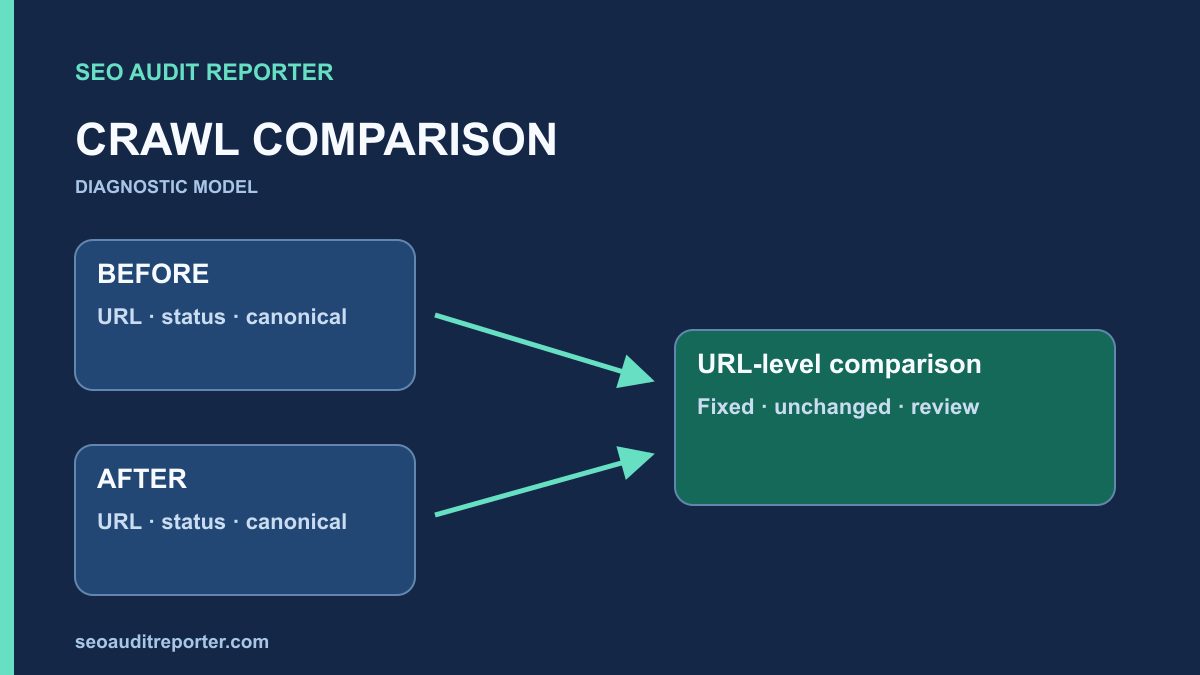
A developer says the canonical fix is live, and the next crawl has fewer warnings. That is encouraging, but it does not show whether the intended URLs changed or whether the crawl simply covered fewer pages. Compare consistent snapshots at the URL and rule level before closing the issue.
Write the acceptance rule before deployment
Define the expected result in observable terms. For a redirect repair, specify the starting URL, permitted hop count, and intended final destination. For a canonical repair, specify the pages and expected target. Avoid an acceptance criterion such as “the SEO score improves,” which does not identify the behavior being changed.
Connect these checks to the prioritized audit finding. Record scope, owner, evidence, and release time. Include a negative check: an unaffected sibling page should retain its status and canonical, or an intentionally restricted endpoint should remain restricted.
The baseline must be captured before the change, or clearly labeled as a later reconstruction. Do not pretend that a current export is historical evidence. If the old crawl is unavailable, use preserved requests or reports carefully and state the comparison’s limitations.
Capture a baseline that can be repeated
Save the crawl configuration alongside the results: entry points, allowed hosts, exclusions, rendering mode, robots behavior, user agent, authentication, rate, and crawl limits. Keep the tool version when practical. These details affect what is discovered and how fields are extracted.
Export URL, response status, redirect destination, canonical, indexing directives, title, description, and incoming links relevant to the finding. Include raw evidence for representative pages. A summary chart can show totals, but a URL-level table is necessary to prove that the intended records changed.
Check that the baseline completed normally. Server overload, interrupted crawls, or a crawl cap can reduce coverage. An incomplete baseline can still be useful for a small fixed URL set, but it should not be described as the whole site’s inventory.
Keep exports read-only and create a separate working comparison so the original observations remain recoverable.
Choose a comparison method appropriate to the question
For a narrow repair, request a fixed list of affected and control URLs before and after. This avoids treating discovery variation as a repair outcome. For a broader template or linking change, also run a link-following crawl to inspect the surrounding graph and possible regressions.
You can compare exported CSV files in a spreadsheet or script without relying on a specific crawler feature. If using a tool’s built-in comparison mode, verify its current behavior in the vendor documentation and record its settings. The acceptance logic should remain understandable outside that tool.
The technical audit workflow helps define the inventory and request checks. Use it to decide which fields belong in this comparison instead of exporting every available metric and treating every difference as a defect.
Join snapshots using explicit URL identity
Keep the original URL as a field in both snapshots. Add a comparison key only after deciding how the site treats hostname, protocol, trailing slash, case, and parameters. Document every transformation. Over-normalization can collapse a broken variant into a working page and hide the problem.
A full outer join exposes records present before only, after only, or in both snapshots. Label these groups as removed from the observed set, added to the observed set, and matched. They describe crawl observation, not automatic publication or deletion decisions.
For matched records, compare each relevant field independently. A title change and a canonical change have different implications. Preserve empty values and distinguish unavailable extraction from a real blank value. Check a sample against raw HTML when parsing or rendering could explain a difference.
Do not merge alternate URLs prematurely
If HTTP and HTTPS variants are part of the redirect test, retain both as separate input records. If a query parameter is the source of a canonical conflict, keep it in the key. You can add a preferred-destination grouping later without discarding the original requested addresses.
Likewise, do not follow every redirect and compare only the final URL. That would hide changes in intermediate hops and responses. Capture the initial URL, chain, and final destination as separate evidence for each request.
Compare responses against the actual repair
For a redirect fix, verify the expected status, Location target, chain, and final document. Include URL variants affected by shared host or protocol rules. A smaller redirect count is not automatically better if a necessary old-address redirect disappeared.
For a canonical fix, compare declaration counts and targets, then request the targets. Confirm that internal links and sitemap entries still communicate the intended preferred addresses. An updated tag pointing to an unavailable page is not a successful repair.
For broken-link repairs, compare source-target relationships as well as destination status. A restored page may fix the destination without correcting a malformed source href. A removed link may reduce warnings while accidentally disconnecting useful content.
Explain inventory differences before interpreting totals
Review URLs present only in the baseline. Did a link disappear, a page redirect, a crawl exclusion change, or the after-crawl stop early? Request important missing records directly. Their absence from an export does not prove that they were deleted from the site.
Review newly observed URLs with the same care. A navigation fix can expose previously disconnected pages, making warning totals rise even though discovery improved. A parameter leak can also expand the crawl unexpectedly. Distinguish useful new coverage from unintended URL proliferation.
Compare counts within stable template groups and retain a fixed control set. This prevents a change in crawl coverage from masquerading as a broad improvement. Report the denominator beside a percentage whenever the observed inventory changed.
Separate deployment, cache, and extraction effects
Confirm the release actually reached the public environment. Request representative pages with the normal visitor path and inspect response headers and body. Compare a cache-bypass request only as additional evidence. If ordinary traffic still receives old output, the repair is not yet consistently public.
Do not assume that two different response bodies prove a CDN problem. Personalization, consent, authentication, application errors, or rendering can also change output. Identify the relevant condition before purging or changing configuration. Preserve enough headers and timestamps to reproduce the difference safely.
When only extracted fields differ, inspect raw HTML and rendered DOM. A tool upgrade or parser setting may change extraction without any site deployment. Record the cause and avoid reporting that as a website repair.
Run targeted regression checks
Choose representative unaffected pages from the same template and adjacent sections. Check status, main content, indexing directives, canonical, navigation, and metadata. A shared template fix can solve one group while accidentally replacing another group’s correct values.
Include a visitor task when the change affects navigation or forms. A crawler can confirm a link exists but cannot establish that every interactive control works correctly. Performance changes require their own traces and field monitoring; a status-code comparison cannot verify a Core Web Vitals improvement.
Use a proportionate scope. A small metadata correction does not require an unrelated exhaustive load test, while a sitewide routing release deserves broader variant and navigation checks. The risk of the actual change should determine the verification depth.
Report outcomes with reproducible evidence
Create an issue-level result containing expected behavior, baseline evidence, deployed observation, control results, and unresolved differences. Link each conclusion to a URL or source relationship. Keep the configuration and original exports so another person can repeat the test.
Separate verified technical behavior from later search outcomes. Google’s URL Inspection guidance distinguishes indexed information from a live test. A correct public response can be verified immediately, while Google’s recorded canonical or indexing state may reflect an earlier observation.
Mark the finding fixed when its acceptance checks pass and important regressions have been excluded. If part of the scope remains uncertain, report that part explicitly. A useful comparison shows what changed, why it matters, and how you know—not just a smaller warning total.